

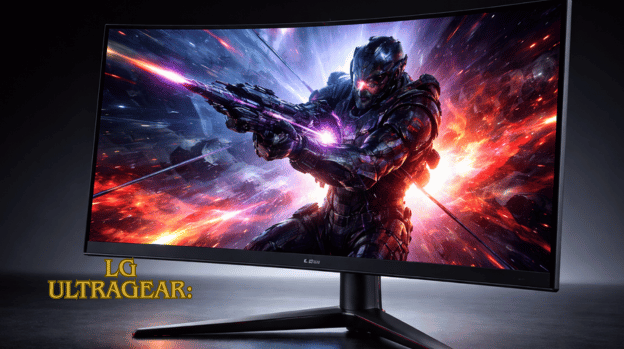
LG UltraGear monitors are built for this high-octane world, delivering lightning-fast refresh rates, ultra-low response times, and stunning HDR visuals that make every frame come alive. More than just a display, they turn your gaming setup into an immersive experience where performance meets breathtaking clarity, giving you the edge you need to dominate the competition.
LG UltraGear monitors are engineered with advanced gaming technologies designed to maximize speed, precision, and visual quality. Many models feature refresh rates ranging from 144Hz to 240Hz and even 360Hz, ensuring ultra-smooth motion with minimal blur during fast-paced gameplay.
This ultimate guide explores the key features, technologies, and benefits of LG UltraGear monitors, helping you understand why they are a top choice for serious gaming enthusiasts.
| Feature/Category | Highlights & Benefits |
| Refresh Rate | 144 Hz – 360 Hz; ultra-smooth motion; competitive edge in fast-paced games |
| Response Time | 1 ms gray-to-gray; reduces motion blur and ghosting; low latency gameplay |
| HDR Support | HDR10: vivid colors, enhanced contrast, immersive visuals for a cinematic experience |
| Screen Sizes & Resolutions | Full HD (1080p), Quad HD (1440p), Ultrawide (21:9 / 32:9), 4K suit various gaming styles |
| Adaptive Sync Technology | G-Sync / FreeSync: eliminates screen tearing and stutter |
| Design & Build | Slim bezels, adjustable stands, RGB accent lighting, robust build |
| Connectivity Options | HDMI 2.1, DisplayPort 1.4, USB hubs, audio output |
| Gaming Features & Software | Dynamic Action Sync, Black Stabilizer, Crosshair Overlay, and On-Screen Control software |
| Target Users | Esports players, LG UltraGear, casual gamers, open-world/simulation gamers, streamers, creators |
| Maintenance Tips | Clean screen, prevent image retention, optimize on-screen settings, and ensure ventilation |
LG UltraGear
In today’s gaming world, having a powerful PC is only part of the equation; your monitor plays an equally critical role in determining performance, responsiveness, and visual immersion. Gamers, streamers, and content creators rely on displays that can keep up with fast-paced action, deliver crisp visuals, and provide a competitive edge.
LG UltraGear monitors have emerged as a top choice for serious gamers, combining ultra-fast refresh rates, lightning-quick response times, HDR-enhanced imagery, and ergonomic designs to create an unmatched gaming experience.
Why Monitor Choice Matters for Gamers?
- Refresh Rate: Determines how smooth motion appears on screen. Higher refresh rates (144 Hz, 240 Hz, or even 360Hz) give a competitive edge in fast-paced games.
- Response Time: Faster response times reduce ghosting and motion blur, essential for first-person shooters and racing games.
- HDR and Color Accuracy: High Dynamic Range (HDR) enhances contrast and color vibrancy, making games visually stunning.
- Resolution: Affects sharpness and detail. Gaming at 1440p or 4K requires both GPU performance and a monitor that supports it.
- Adaptive Sync Technology: G-Sync or FreeSync ensures smooth gameplay by synchronizing the monitor’s refresh rate with the GPU.
Ultra-Fast Refresh Rates: Smoothness You Can Feel
One of the most impressive features of LG UltraGear monitors is their ultra-fast refresh rates, which range from 144 Hz up to an incredible 360 Hz on certain models. High refresh rates deliver fluid motion, making fast-moving objects appear smooth and clear while reducing blur, and they provide a competitive edge by allowing quicker visual recognition, improving reaction times in esports and fast-paced games.
Exceptional Response Times
- Definition: Response time measures how quickly a pixel can change from one color to another. Faster response times result in sharper action without ghosting or smearing effects.
Response Time Highlights
- 1ms Motion Blur Reduction: Many models feature a 1ms gray-to-gray response time, minimizing motion blur.
- Enhanced Clarity in Fast Action: Critical for games that require split-second precision.
- Professional Esports Standards: Meets or exceeds requirements for competitive gaming tournaments.
- Low Latency Gameplay: Ensures inputs feel instantaneous, providing a smoother and more responsive gaming experience.
HDR Immersion
High Dynamic Range (HDR) adds depth and realism to gaming visuals by enhancing contrast, brightness, and color range, and LG UltraGear monitors incorporate advanced HDR support to deliver a more lifelike experience.
This results in immersive gameplay, particularly in open-world titles, RPGs, and cinematic games. Many LG UltraGear monitors feature HDR10 support, combining high brightness and a wide color gamut to create a cinematic gaming experience that brings every scene to life.
Screen Sizes and Resolutions
LG UltraGear monitors come in a variety of sizes and resolutions to suit different gaming needs and preferences. Selecting the right combination depends on your gaming style, GPU capabilities, and workspace setup.
Full HD (1080p)
Full HD monitors are ideal for esports players and competitive gamers who prioritize high frame rates and responsiveness over pixel-perfect detail. These monitors ensure fast, fluid gameplay with minimal input lag, making them perfect for shooters and fast-paced titles.
Quad HD (1440p)
Quad HD monitors strike a balance between sharp visuals and high performance, offering enhanced detail without sacrificing speed. This resolution is suitable for both competitive and casual gamers who want immersive visuals while maintaining smooth frame rates.
UltraWide Displays
UltraWide monitors with 21:9 or 32:9 aspect ratios provide panoramic, immersive views, making them perfect for simulation games, open-world adventures, and multitasking setups. These monitors expand your field of vision and enhance the sense of depth in gameplay.
4K Gaming Monitors
4K monitors deliver ultra-detailed visuals, ideal for AAA gaming, cinematic experiences, and content creation. While they require a powerful GPU to maintain high frame rates, the increased resolution provides stunning clarity and realism for visually rich games.
Adaptive Sync Technology
- Eliminates Screen Tearing: Frames are synchronized for smooth visuals.
- Reduces Stutter: Prevents uneven frame delivery, ensuring gameplay feels natural.
- Optimized for All Games: Works across a range of graphics-intensive titles.
Gamers using high-performance GPUs will notice a significant difference in both smoothness and competitive performance with adaptive sync enabled.
Design and Build
- Slim Bezels: Provides minimal distractions, ideal for multi-monitor setups.
- Adjustable Stands: Tilt, height, and pivot adjustments for ergonomic comfort.
- RGB Accent Lighting: Select models that feature customizable lighting for immersive setups.
- Robust Build Quality: Made with durable materials to withstand intense gaming sessions.
- Stylish and Functional: Combines high performance with a design that complements any gaming setup.
Connectivity Options
LG UltraGear monitors offer versatile connectivity to support modern gaming setups and multiple devices. They feature HDMI 2.1 for high-frame-rate console and PC gaming, DisplayPort 1.4 for high refresh rates and resolutions, USB hubs for easy access to peripherals like keyboards, mice, and headsets, and audio output for direct connection to gaming headphones or speakers.
Gaming Features and Software Enhancements
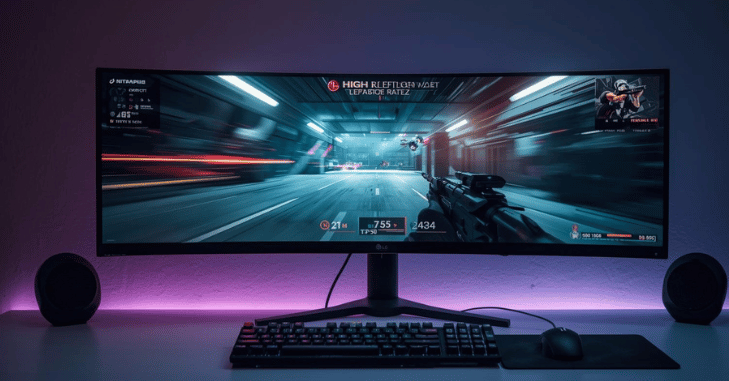
| Feature | Function / Benefit |
| Dynamic Action Sync | Minimizes input lag for fast-paced games |
| Black Stabilizer | Enhances visibility in dark scenes, giving a tactical advantage in FPS games |
| Crosshair Overlay | An optional aiming reticle for precision in competitive shooters |
| On-Screen Control Software | Allows easy adjustment of brightness, refresh rate, and color profiles |
Choosing the Right LG UltraGear Model
- Esports Players: Prioritize ultra-fast refresh rates (240Hz–360Hz) and 1ms response times.
- Casual Gamers: Look for 144 Hz–165 Hz monitors with HDR for a balance of visuals and performance.
- Open-World or Simulation Gamers: Consider ultrawide or 4K HDR monitors for immersive environments.
- Streamers and Content Creators: High resolution and accurate color reproduction are critical.
Maintenance and Care Tips
- Keep the screen clean with microfiber cloths to avoid scratches.
- Avoid leaving static images for extended periods to prevent image retention.
- Use the on-screen settings to optimize brightness and contrast rather than external software.
- Ensure proper ventilation to avoid overheating during long gaming sessions.
Conclusion
LG UltraGear monitors represent the pinnacle of gaming display technology, combining speed, precision, and visual immersion to meet the demands of modern gamers. With ultra-fast refresh rates, lightning-quick response times, HDR-enhanced visuals, and adaptive sync support, these monitors ensure smooth, responsive gameplay while reducing eye strain and visual artifacts.
Their ergonomic designs, versatile connectivity, and customizable features make them suitable for a wide range of gaming styles, from competitive esports to cinematic open-world adventures. Investing in an LG UltraGear monitor not only enhances performance and competitive edge but also elevates the overall gaming experience, allowing every frame, color, and detail to shine at its absolute best.
Apart from that, if you want to know more about 2TB External Hard Drive: Ultra-Fast, Highly Secure, and Dependable High-Capacity Storage for Professionals, and Advanced Data Management then visit our Gaming category.
FAQs
In addition to having 4K gaming displays, which are perfect for console owners, their UltraGear versions often provide excellent gaming performance with crisp motion handling.
The distinction between 144 Hz and 240 Hz is still quite noticeable and unquestionably significant
The LG UltraGear Full HD VA Panel LCD 3-Side Borderless Gaming Monitor with Flicker-Free Technology measures 68.58 cm.
The LG has HDMI 2.1 bandwidth, letting you reach higher refresh rates over HDMI and take advantage of gaming consoles.