
Open Instagram’s setup screen and one option keeps appearing: Digital creator. It sits under millions of profiles, and hardly anyone explains what choosing it does. On Facebook and Instagram, the word describes anyone who picked that category for their profile. Nothing more.
That matters, because the label is often sold as a promotion. It isn’t. Here’s what it changes, what the work involves once you commit to it, and what the money looks like for someone doing this in the UK.
The short answer: it’s a profile category on Meta’s platforms that you select yourself. It appears under your name, helps people and Meta’s systems place what you do, and gives no extra reach, no verification, and no payment. The category is a description of your work, not a status Meta grants you.
Key Facts At a Glance
| pagepageQuestion | Answer |
| What is it? | A profile or Page category you choose yourself |
| Where you set it | Instagram professional account setup, or a Facebook Page’s About tab |
| Who it suits | People who publish content: video, photos, writing, music, design |
| Does it unlock payment? | No. Earning runs through separate programmes. |
| Can you hide it? | Yes, Instagram has a Display category label switch. |
| Can you change it? | Yes. Meta sets no limit on how often you edit a Page category. |
| UK tax trigger | Gross income above £1,000 in a tax year |
TL;DR
- The label is a category, not a rank, and it costs nothing to switch.
- On Instagram, your category and your account type are two separate choices.
- Payment comes from monetization programs, brand work, and your own products.
- UK earnings vary wildly, and HMRC gets interested once you clear £1,000.
What The Digital Creator Label Really Means
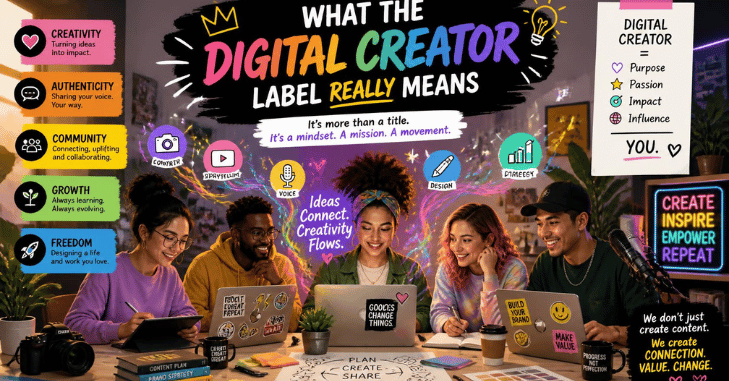
Meta uses categories to describe accounts. Turn an Instagram account into a professional one, and you pick a category that best describes what you do. Digital creator is one of the options in that list.
Meta’s help pages are blunt about how little weight it carries. The category you choose does not decide whether you end up with a Creator or a Business account. Those are two separate switches on the same screen.
Facebook works the same way. Page categories show up under the page name in search, and Meta says different features may be available depending on which one you pick. You can edit it as often as you like.
So the label does three modest jobs. It tells visitors what kind of account they’ve landed on. It gives Meta a signal for recommendations. And it slots you into the right tools inside the professional dashboard. That’s the whole list.
Creator, Influencer, or Business: Which one are you?
These words get used interchangeably, which is why the setup screen confuses people. They aren’t the same thing.
| Type | Best for | Catch |
| Creator account (Instagram) | Public figures, content producers, artists, influencers | One person only, no shared logins |
| Business account (Instagram) | Shops, brands, service providers | Fewer inbox and follower tools aimed at individuals |
| Facebook Page | A public presence separate from your personal profile | Needs building from zero followers |
| Profile in pro mode (Facebook) | Growing an audience on the profile you already have | Only you can manage it, and your real name stays. |
An influencer sells their recommendation. Plenty of people carrying the label have never taken a brand deal, and it still describes them perfectly.
Think the business side through before you pick. Do you sell things you make? If your plan looks more like how to start a clothing brand than a publishing schedule, a business account or a page serves you better. The tools differ, and so does what customers expect.
How to Set or Change Your Category
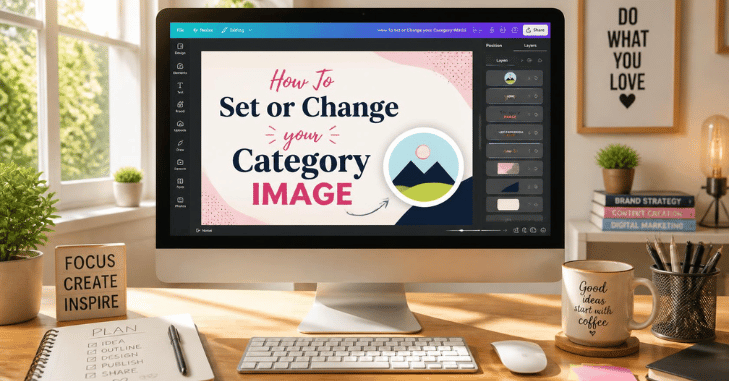
On Instagram, from the app:
- Tap your profile picture, then tap More to open Settings and activity.
- Under For professionals, tap Account type and tools.
- Select Switch to professional account.
- Choose your category from the list.
- Choose Creator or Business, then tap Next.
On a Facebook Page: open the Page, click About, select Category, click Edit, start typing, and pick from the dropdown. Save. Do it as many times as you want.
One catch nobody mentions. If your Instagram account is private, switching to a professional account makes it public, and every pending follow request is accepted automatically. Clear out anyone you don’t want reading your posts first.
What the Work Actually Involves
The label takes ten seconds. The job doesn’t.
Publishing three short videos a week usually looks something like this:
- Planning and scripting: 2 to 4 hours
- Filming: 3 to 6 hours, more if you reshoot
- Editing, captions, and thumbnails: 6 to 10 hours
- Replying to comments and messages: 3 to 5 hours
- Pitching brands, invoicing, chasing payment: 2 to 4 hours
That’s a working week before anyone has paid you a penny. The editing block surprises people most. A polished 45-second video routinely eats an afternoon, and the maths gets worse if you also handle sound and subtitles yourself.
Consistency beats intensity here. Two posts a week for a year builds more than twenty posts in a fortnight and then silence for three months.
How Creators Actually Get Paid
This is where the label myth does real damage. Choosing the category does not put you in a payment program.
Facebook Content Monetization, Meta’s combined earning program, is invite-only as of 2026. Invitations go out periodically to eligible accounts, and you can register interest through the Monetization tab in your professional dashboard. Everything else sits alongside it: stars, subscriptions, affiliate links, and brand partnerships.
Most UK creators earning a living do it across several income lines rather than one:
- Brand deals. The biggest line for most people and the least predictable.
- Platform payouts. Reels, stars, and subscriptions, where you qualify.
- Affiliate commission. Small per sale, decent at volume.
- Your own products. Courses, presets, templates, and merchandise.
- Client work. Filming or editing for other businesses, often the steadiest of the lot.
That last group is really a small business wearing a camera. Testing what people will pay for? The same rules apply as anywhere else. Groundwork behind spotting a workable business idea transfers directly: find the problem, check the demand, then build.
What Creators Earn in the UK
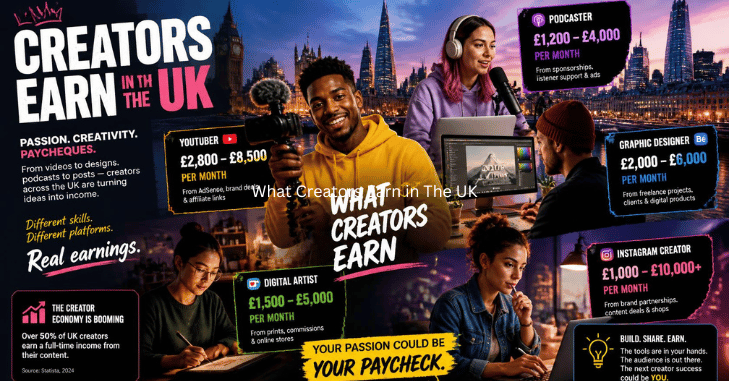
There’s no official pay statistic for this job. Treat the numbers below as market signposts, not a salary scale.
| Audience size | Typical UK rate per sponsored post | Realistic yearly picture |
| Under 10,000 | £75 to £250 | Side income, often under £5,000 |
| 10,000 to 50,000 | £200 to £700 | Part-time income if posting consistently |
| 50,000 to 250,000 | £600 to £2,500 | Can replace a salary, rarely smoothly |
| 250,000 plus | £2,000 upwards | Agency representation becomes normal. |
Now the benchmark that gives those figures meaning. According to the Office for National Statistics, median gross annual earnings for UK full-time employees were £39,039 in April 2025. That was up 4.3% on the £37,439 recorded a year earlier. Matching it to self-employed means roughly £3,250 a month in gross fees, before tax, kit, and platform costs come out.
Put next to a salaried profession, the gap in reliability is obvious. Look at teacher pay in the UK, and you get published scales plus a payslip on the same date every month. Posting income has none of that, which is why the good months need to fund the bad ones.
Tax: What HMRC Expects
Money earned from posting is taxable income. The threshold is low, and it catches people out.
HMRC’s trading allowance lets you earn up to £1,000 of gross trading income in a tax year without declaring it. Go over that, and you must register for Self Assessment by 5 October following the end of that tax year. The return and any tax due then land on 31 January.
“Gross” is the word to watch. It means everything that came in before you deduct the camera, the ring light, or the editing subscription. Gifted products count too when you were expected to post in return.
Keep a simple record from your first paid post: date, client, amount, and what you spent to deliver it. Reconstructing eighteen months of PayPal notifications in January is a miserable way to spend a weekend.
So should you use the label?

Yes, if you publish content and want the professional tools, insights, and monetization options that come with a professional account. It costs nothing, and you can reverse it. No, if you’re a shop with a logo or a private account that would rather stay private. Pick business, or stay personal.
Next step
Digital Creator open your settings and switch on the professional account. Choose the category that honestly describes your output, then set a posting schedule you can hold for twelve weeks. Look at your insights after that and decide what to keep making.
FAQs
No. It’s a description, not a boost. Reach follows watch time and shares.
For an individual publishing content, usually yes. For a shop selling products, no.
Yes. Instagram has a Display category label setting under your professional account options, and turning it off keeps the label private.
Only if you want more than one person managing it, or you’d rather keep your public output separate from your personal profile. Otherwise, Pro Mode on your existing profile does the same job.
Brands buy engagement, not follower counts. Accounts under 10,000 followers with a tight niche get paid work regularly.
Yes, they were given in exchange for content. HMRC treats the value as trading income.