

Gamers, streamers, content creators, and enthusiasts are constantly pushing their systems to the limit, and with every upgrade, CPUs and GPUs generate more heat than ever before. Simply relying on air cooling is no longer enough to keep up with these demands.
That’s where a water cooled PC comes in, offering not just superior thermal management and whisper-quiet operation, but also the ability to transform your rig into a visually stunning centerpiece that reflects your style and performance ambitions.
This is where a water-cooled PC stands out. Liquid cooling systems offer superior thermal performance, quieter operation, and unmatched visual appeal compared to traditional air cooling. Whether you’re building a competitive gaming rig or a showcase of an RGB masterpiece, water cooling unlocks the full potential of your hardware.
| Feature/Aspect | Air Cooling | Water Cooled Pc (AIO) | Water Cooling (Custom Loop) |
| Cooling Performance | Moderate | High | Maximum |
| Noise Level | Moderate to Loud | Quiet | Quiet |
| Installation Complexity | Easy | Easy | Advanced |
| Maintenance | Minimal | Low | Moderate (coolant change, leaks, cleaning) |
| Aesthetics / Visual Appeal | Basic | Premium (RGB optional) | Stunning, fully customizable RGB |
| Overclocking Support | Limited | Moderate | Excellent |
| Cost | Budget-Friendly | Affordable to Mid-range | High/Premium |
| Best For | Casual users, budget builds | Mid-range to high-end gamers | Enthusiasts, overclockers, and showcase builds |
Understanding Water Cooled PC

A water cooled PC uses liquid to manage heat more efficiently than traditional air cooling, offering superior thermal performance and stability under heavy workloads. By circulating coolant through a closed loop, these systems move heat away from critical components like the CPU and GPU, keeping temperatures consistently lower.
This method not only enhances system reliability but also allows for better performance during demanding tasks such as gaming, video rendering, or overclocking. At the heart of the system, a combination of water blocks, pumps, and radiators works together to transfer heat effectively, ensuring that your components stay cool even under intense load.
Types of Water Cooling Systems
There are two main types of liquid cooling systems used in modern PCs: All-in-One (AIO) liquid coolers and custom loop water cooling systems. Each option offers different levels of performance, cost, and customization, making them suitable for different types of users.
All-in-One (AIO) Liquid Coolers
All-in-One (AIO) liquid coolers are pre-assembled and sealed cooling units, primarily designed for CPUs. They come with the pump, radiator, tubing, and water block already connected, making installation simple and straightforward. Coolers are ideal for gamers and PC builders who want better cooling performance than traditional air coolers without dealing with the complexity of a custom setup.
Custom Loop Water Cooling
Custom loop water cooling systems are fully customizable for setups where each component is selected and assembled individually. These systems typically include a CPU water block, GPU water block (optional), pump, reservoir, radiators, tubing, and coolant.
Because they can cool multiple components at once, custom loops offer superior thermal performance compared to AIO solutions.
Performance Benefits
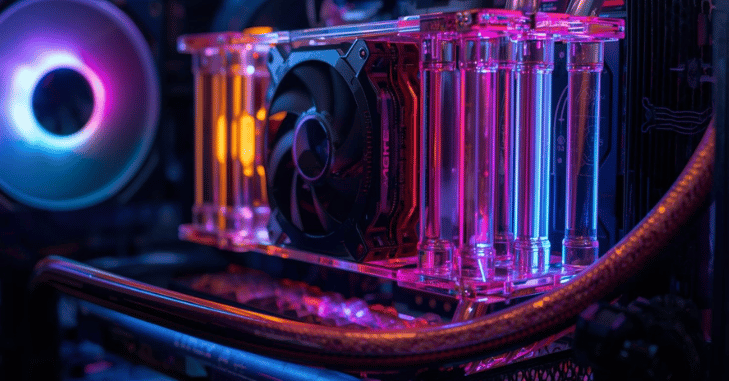
Lower Temperatures
- Water cooling significantly reduces CPU and GPU temperatures under heavy load.
- Improved system stability
- Longer hardware lifespan
- Reduced thermal throttling
Better Overclocking Potential
- Cooler components can safely run at higher clock speeds.
- More stable and sustainable overclocking
- Improved performance during intensive tasks
Quieter Operation
- Liquid absorbs heat more efficiently than air.
- Fans don’t need to run at maximum speed constantly
- Less overall system noise
- Smoother operation
- Better experience for streaming and recording
Improved Gaming Performance
- Prevents thermal throttling during long sessions
- Maintains consistent clock speeds
- Ensures stable performance in demanding games
Overclocking Power: Unlocking True Performance
Overclocking is the process of increasing a CPU or GPU’s clock speed beyond its factory settings to achieve higher performance. With water cooling, users gain the thermal headroom needed to safely push hardware further by increasing CPU core frequency, maintaining stable voltage levels, sustaining boost clocks for longer periods, and reducing thermal spikes during demanding tasks.
The benefits of overclocking include higher gaming FPS, faster rendering times, improved multitasking, and better benchmarking scores. However, safe and effective overclocking also requires a stable power supply, a high-quality motherboard, proper thermal monitoring, and careful testing.
RGB Aesthetics: Building a Visual Masterpiece
- Modern PC building combines performance with visual appeal.
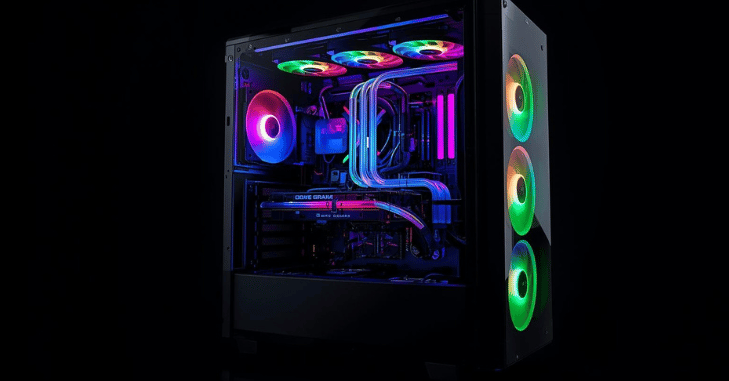
- Custom water cooled PCs often serve as display pieces with transparent side panels and RGB lighting.
Popular RGB Enhancements
- RGB fans
- Addressable LED strips
- RGB pump blocks
- Colored coolant
- Hard acrylic or PETG tubing
Lighting Affects You Can Create Using Motherboard Software
- Wave effects
- Color cycling
- Static theme builds (e.g., all white, cyberpunk neon)
- Music-synced lighting
- A well-designed water cooled PC can appear futuristic, minimalist, or aggressively gamer-themed depending on your style.
Components Needed for a Custom Water-Cooled PC
Here’s a breakdown of essential parts:
Water Blocks
- CPU block
- Optional GPU block
Pump
- Circulates coolant through the loop
Reservoir
- Stores excess coolant
- Helps remove air bubbles
Radiator
- Dissipates heat
- Available in sizes like 240mm, 360 mm, and 420mm
Tubing
- Soft tubing (flexible, beginner-friendly)
- Hard tubing (clean aesthetic, advanced builds)
Coolant
- Distilled water with additives
- Pre-mixed colored coolants
Air Cooling vs Water Cooling
| Feature | Air Cooling | Water Cooling |
| Cooling Performance | Moderate | High |
| Noise Level | Moderate to Loud | Quiet |
| Aesthetics | Basic | Premium |
| Cost | Budget-Friendly | Expensive |
| Maintenance | Minimal | Moderate (Custom Loops) |
- High-performance gaming
- Streaming setups
- Overclocked systems
- High-end workstation builds
Cost Breakdown
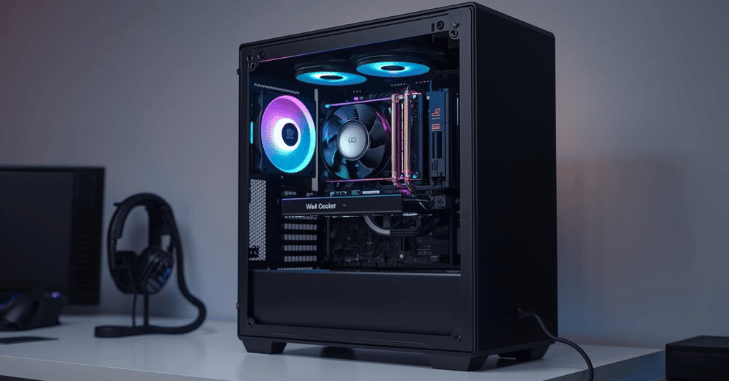
The cost of water cooling can vary widely depending on the type of system and components chosen. All-in-One (AIO) coolers range from budget-friendly models to mid-range options with premium RGB features, making them accessible for most gamers.
Custom loop builds, on the other hand, require a larger investment: entry-level custom loops come at a moderate cost; full CPU and GPU loops represent a premium investment, and high-end RGB showcase builds can be quite expensive. Additionally, custom loops demand careful planning and ongoing maintenance, which should be considered when budgeting for a water cooled PC.
Maintenance & Care
AIO Coolers
- Generally, maintenance-free
- Replace after 3–5 years
- Monitor for unusual pump noise
Custom Loops
- Change coolant every 6–12 months
- Check for leaks
- Clean blocks and radiators
- Remove air bubbles
- Inspect fittings regularly
Who Should Build a Water-Cooled PC?
- Competitive gamers
- Streamers
- Video editors
- 3D artists
- PC enthusiasts
- RGB showcase builders
Conclusion
A water cooled PC is more than just a cooling solution; it’s a gateway to unlocking the full potential of your hardware while creating a visually stunning system. By effectively managing heat, water cooling allows for higher clock speeds, stable overclocking, quieter operation, and consistent performance during demanding tasks like gaming, streaming, or rendering.
Whether you opt for a simple AIO cooler or a fully customized RGB hard-tube loop, a water cooled setup combines functionality, reliability, and aesthetic appeal. For enthusiasts, gamers, and creators alike, investing in a water cooled PC ensures a balance of performance, longevity, and style, making it a worthwhile upgrade for anyone seeking the ultimate computing experience.
If you want to read an interesting article about it, explore our Gaming category.
FAQs
Technically speaking, because liquid coolers include fluid, they are more likely to leak than their air-cooled equivalents. However, there is very little chance that a leak will actually harm your CPU.
Although it doesn’t happen very often, liquid cooling systems can malfunction. Leaks are one such problem that could lead to coolant escaping and harming your computer’s components.
Water coolers can take up space in smaller offices and may need routine maintenance, especially if they contain filtration systems.